Voice rooms
A room is created with one button and lives while someone is in it. Media flows through a self-hosted LiveKit SFU.
Chatovo started from one idea: open a room and talk. Here is everything that grew around it while the project was being built.
The core of the project: rooms on a self-hosted SFU, with no cap on call length.
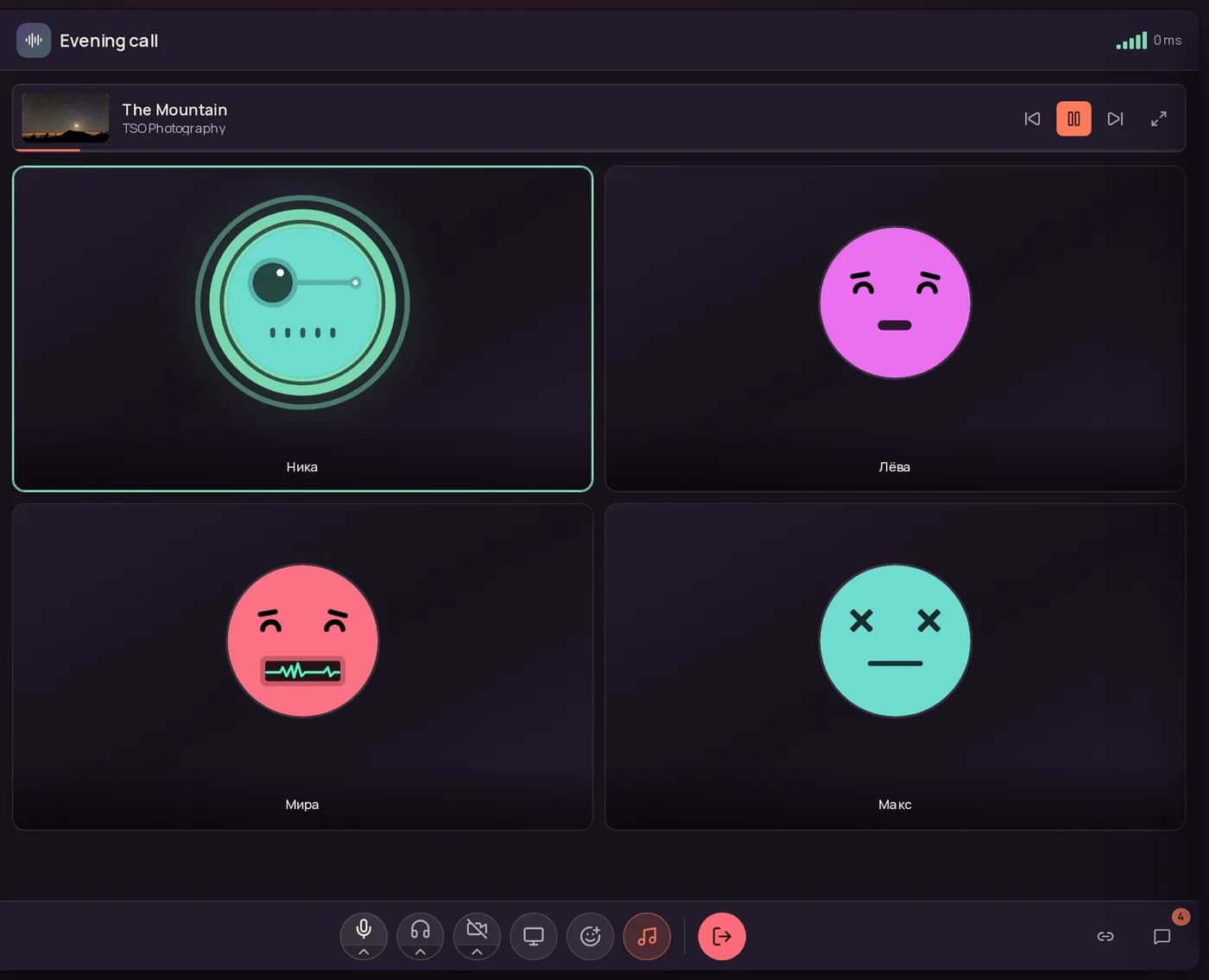
A room is created with one button and lives while someone is in it. Media flows through a self-hosted LiveKit SFU.
Open the lobby, settings or the admin panel and the call continues in a compact bar at the bottom. Only the leave button ends it.
The camera turns on straight from the room control bar, and its quality is set in settings: 720p, 1080p, 1440p or 4K.
Share a window, a tab or the whole screen — everyone watches without leaving the room.
The quality badge reports the real round-trip time, so a struggling connection is obvious right away.
A separate slider for every speaker. One is too quiet, another too loud — level them out locally.
A voice-activation threshold cuts the background out: keyboard, fan, a conversation in the next room.
The mic opens only while the key is held. Switches to voice activation in a single click.
In the desktop app the mic and audio stay controllable while Chatovo is minimised — from a game or an editor.
Microphone, camera and audio output are chosen in the room menu and remembered between sessions.
Echo cancellation, noise suppression and automatic gain control are toggled in settings.
The desktop app shows people the name of the game you are playing. One switch turns it off.
Listen together: the track plays for everyone at once and steps down when someone talks.
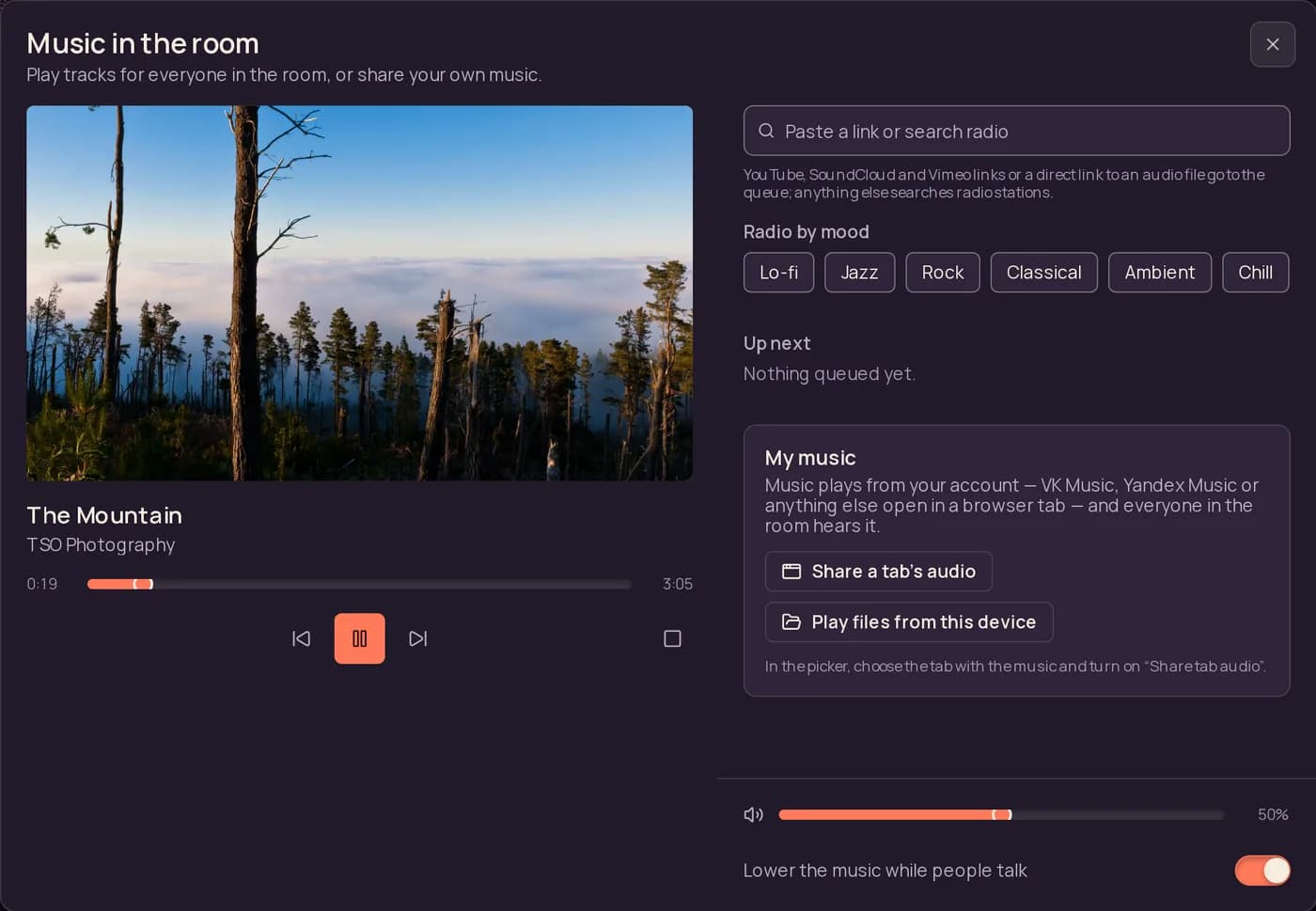
YouTube, SoundCloud, Vimeo and direct audio links join one shared queue.
Thousands of stations by genre and mood — lo-fi, jazz, rock, ambient.
Pause, seek and skip happen for everyone in the room at once.
The music makes room for voices and comes back a second after.
Any streaming service or files from your device, through a shared tab.
Text next to voice, in the same window, with nothing to switch between.
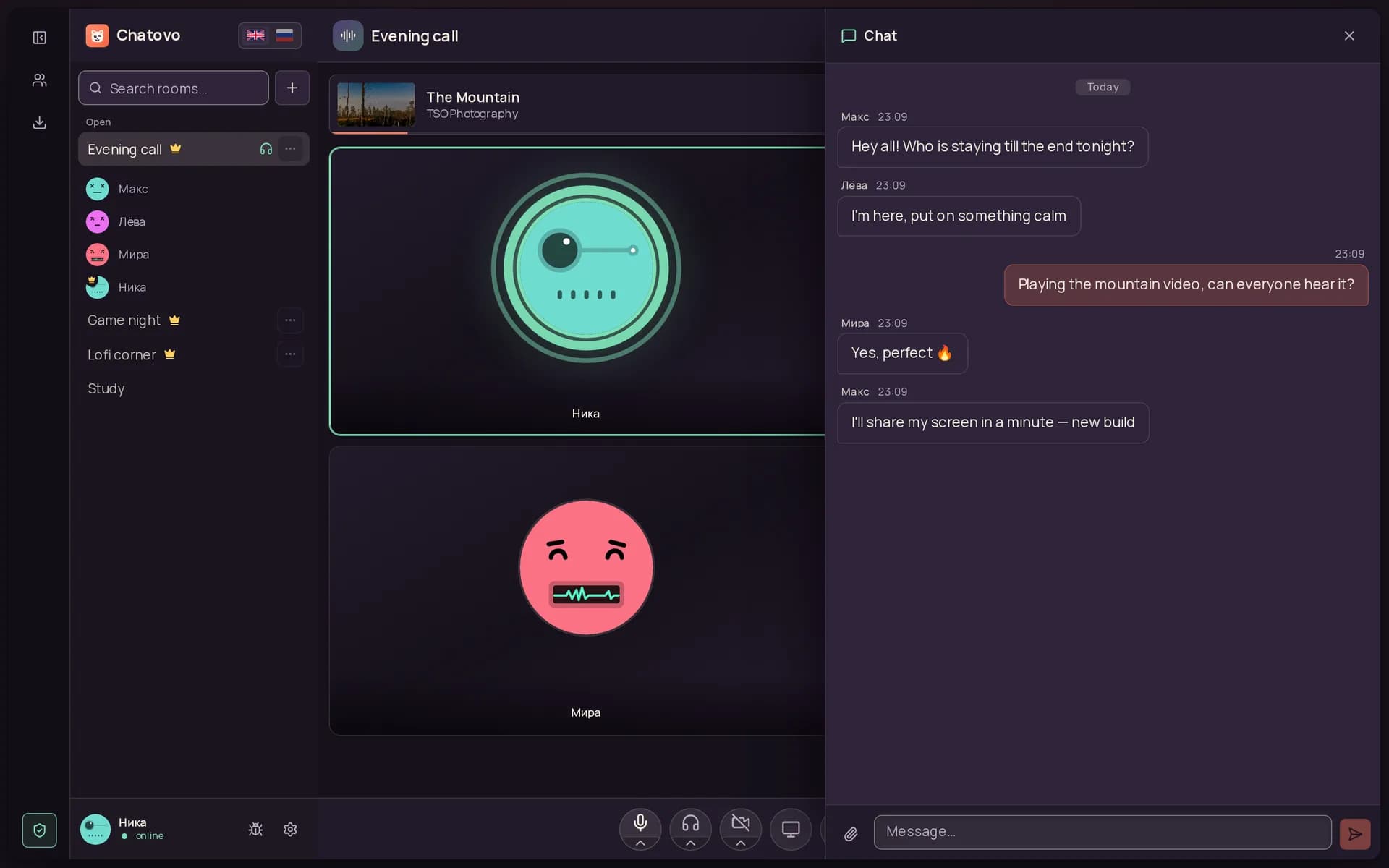
A text channel opens beside the participant grid and keeps the room's history.
Lists, links, code blocks and quotes render as you type — GFM plus line breaks.
Drop files and images into the chat; the server stores them itself, with no third-party cloud involved.
Edits and deletions reach every open client immediately, with no reload.
Emoji float over the participant grid — a quick reaction that does not interrupt the speaker.
A friend list, who is online, and one-to-one calls.
Friends live in a list you open from the side panel, showing who is online right now.
Send, accept or decline a request; incoming ones are highlighted in the panel.
You can see who is online and who stepped away, with no page refresh needed.
A one-to-one call with a ringtone, without spinning up a separate room.
Direct messages and incoming calls reach your phone as push notifications, even with the app closed.
The owner decides who gets into a room and how.
The lobby lists public rooms, showing where a conversation is happening and how many people are in it.
A password on entry: the room stays listed under a lock, but only opens for people who know the password.
A button in the room copies a link that leads straight to the conversation, skipping the list entirely.
Rooms you were in recently stay within reach, so you never have to hunt for them again.
The owner renames the room, changes its password and privacy, or deletes it outright.
One account, one codebase, four platforms.
Runs in the browser with nothing to install: open a link and you are in the room.
Tauri builds for Windows, macOS and Linux — a native window instead of a browser tab.
A system tray menu keeps the mic one click away, and updates install themselves.
The mobile build ships through Google Play and shares an account with the web.
On a phone the interface respects notches and the gesture bar, so nothing hides under system elements.